
The GPT Blueprint · Public Edition

Make ChatGPT & Claude sound like you — not the rest of the internet.

The exact system I use to turn ChatGPT (or Claude) from a generic word-salad machine into a marketing employee that knows my business, my audience, and my voice. Prime it. Voice it. Prompt it. Same playbook works in either model.

Start with the story
15 min read Copy-paste templates Built from 1000+ real prompts
The Story

I let AI write for me. It tanked my brand.

Early on I did what most people do: opened ChatGPT (or Claude), asked it for captions, and posted whatever came back. Within a few weeks I had emails, captions, and reels that didn't sound like me. The voice was flat. The hooks were the same hooks everyone else was using. My audience could feel it — engagement dropped, DMs slowed, and the people who actually knew me told me my content felt off.
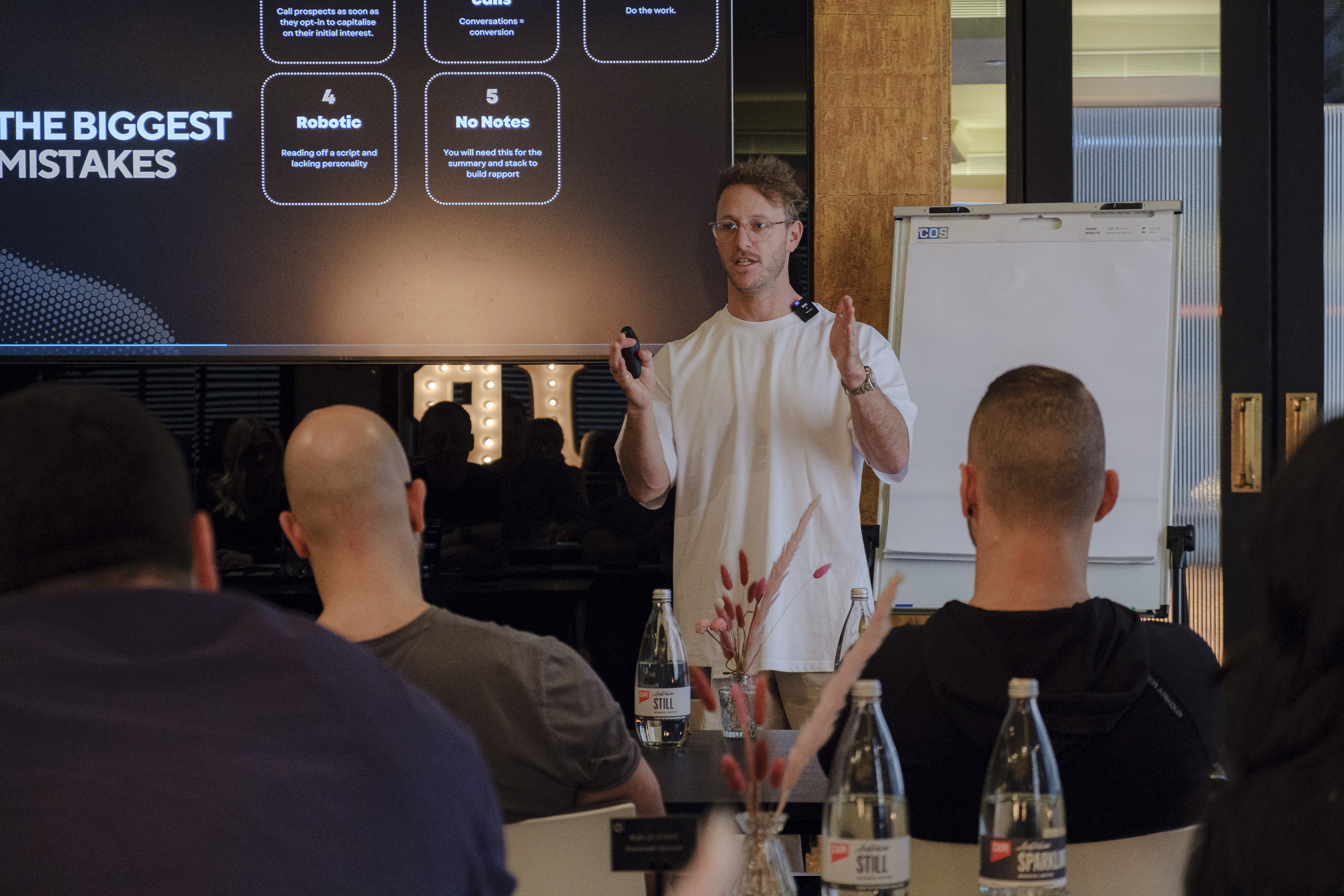
Brando teaching at a Kaizen workshop, with 'The Biggest Mistakes' slide on screen behind him
Brando teaching the same lessons inside the Kaizen mentorship. The biggest mistakes start with using AI as a shortcut — not as a system.

Generic AI sludge

"Are you ready to transform your fitness journey?" "Unlock your potential." Em-dashes everywhere. Three-word punchy "not just X, but Y" lines. None of it sounded like a real person, let alone me. The audience knew before I did.

Prime → Voice → Prompt

I stopped asking the model to "write a caption" and started teaching it who I am first. A business primer, a voice guide, and prompts that reference both. Works the same in ChatGPT and Claude. Now the outputs need light editing — not full rewrites. And they sound like me, not LinkedIn.

The Method

Three layers. Set them once. Use them forever.

Most "AI for business" advice is just a list of prompts. That's the wrong layer. The prompts only work if you've done the priming and voice work first. Here's the order.

01

Prime the model

Give it the employee handbook for your brand — who you serve, what you sell, how you talk. Once. Saved in a project or pinned in custom instructions.

02

Build your voice guide

Tone, sentence rhythm, words you use, words you'd never say. This is the piece almost everyone skips — and it's the single biggest reason their AI output sounds generic.

03

Prompt with intent

With priming and voice locked in, your output prompts get short. "Five reel hooks for trapped-experts on lead gen, in my voice" is suddenly a usable instruction.

Layer 01 · Priming

Teach the model your business before you ask it for anything.

In ChatGPT, click + New project (or use Custom Instructions). In Claude, create a Project and add this as the project's instructions. Paste the six blocks below in once. Fill in the blanks with your details. From then on, every chat inside that project starts with full business context — you'll never have to re-explain who you are.

Business Context

What you do, who you help, why you're different.

If the model doesn't know what you do, it can't write content that actually sells for you. This is the foundation everything else sits on — and it goes into both ChatGPT and Claude the same way.

Copy & fill
You are acting as a marketing consultant specialising in [industry] businesses. We help [target audience] achieve [result] so they can [deeper benefit]. Unlike other [competitors / industry norms], we [key difference]. You are to respond to all of my questions through this lens.
Stuck? Inside Kaizen we hand you industry-specific examples already written for service businesses — physios, brokers, real estate, tradies, coaches.

Avatar Articulation

The ideal client — demographics, pain, desires.

The sharper the picture of your ideal client, the more targeted every output will be. Vague avatar = vague content.

Copy & fill
Here's who our ideal client is: Demographics: [age, location, income, role] Psychographics: [values, beliefs, identity markers] Behaviours: [where they hang out, what they buy, what they consume] Biggest problems: [3–5 specific pains] Top 3 goals: [what success looks like for them] Top 3 objections: [why they'd say no to us] Use this avatar as the reference point for every piece of content you generate.
Sharpen it: Write the avatar as one real person you've actually served. Name them. The output gets weirdly better when the model has someone specific in mind.

Brand Voice (basic)

Tone, style, signature phrases.

Without this, your output sounds like every other business. This is the difference between "AI helped me" and "AI replaced me." Full voice guide builder is in the next section.

Copy & fill
Our brand voice: Tone: [e.g. casual but professional, sharp, no fluff] Style: [e.g. storytelling that leads to a key message] Phrases we use often: [your signature lines] Phrases we avoid: [corporate clichés, jargon, AI tells] Sentence rhythm: [short and punchy / longer and conversational] Match this voice in every output. If unsure, lean shorter and more direct.

Key Marketing Messages

The 3–5 ideas you want hit on repeat.

These are the core ideas you want repeated across all your content — the things you want people to know about you without having to keep saying them yourself. Repetition builds trust and recognition.

Copy & fill
Key marketing messages we want to hit consistently: 1. [the specific offer or transformation] 2. [our method or framework name] 3. [a core belief / contrarian POV we hold] 4. [proof of results — outcomes, numbers, case stories] 5. [the deeper "why" — what we ultimately stand for] Weave at least one of these into every piece of content you produce.

Unique Selling Points

Why someone picks you over the alternative.

Your USPs are how the model positions you above competitors without you having to spell it out every time. Without them, your content reads as one-of-many.

Copy & fill
Our Unique Selling Points: 1. [only X in Y offering Z] 2. [a methodology or process competitors don't have] 3. [results-focused outcome we deliver] 4. [a guarantee, format, or experience that's distinct] When writing content, naturally reinforce these USPs — don't list them, weave them into stories and examples.

Content Preferences

Formats to use, formats to skip.

Telling the model what formats and tones you want avoids getting back outputs you'll never use. Saves you re-prompting later.

Copy & fill
Content preferences: Preferred content types: [e.g. educational, storytelling, behind-the-scenes] Preferred tone: [e.g. confident, casual, sharp] Formats we use most: [reels, carousels, long-form emails, etc.] Formats we avoid: [long captions, hashtag stuffing, AI-typical em-dashes, etc.] Default to these formats. If suggesting something different, flag it first and explain why.
Layer 02 · The Voice Guide

The part nobody does. The part that matters most.

Brand voice in priming is one line. A real voice guide is something else — it teaches the model (ChatGPT or Claude) how you actually talk, what you'd never say, and the rhythm of your sentences. This is the difference between content that sounds AI-generated and content that sounds like you on a good day.

Build it in four blocks.

Tone & energy

  • Confident, not arrogant. We make the call.
  • Casual + business sharp — like a mate who runs companies.
  • No hedging. No "it depends without committing."
  • Direct: the answer comes first, the reasoning second.

Sentence rhythm

  • Mix short and long. Short for impact. Longer for context.
  • One idea per sentence. Stack them — don't braid them.
  • No three-clause sentences held together by semicolons.
  • Read it out loud. If you'd never say it, rewrite it.

Words & phrases we use

  • "Operator." "Builder." "Compounding small wins."
  • "Today's working version beats next month's perfect one."
  • "Ship it." "Ugly in prod > pretty in branch."
  • Names of specific clients, specific outcomes, specific numbers.

The AI kill list

  • "Not just X — it's Y." (Forced grandeur.)
  • "Unlock." "Leverage." "Game-changer." "At scale."
  • "In today's fast-paced world…"
  • Em-dash dramatic reveals — like this one — used three times a paragraph.
  • "Imagine if…" openers. "Are you ready to…"
  • Closing CTAs that say "the choice is yours."

Then paste this prompt into your project.

Replace the bracketed bits with your version of the four blocks above. This goes into your project's instructions after the priming.

VOICE GUIDE — match this in every output. Tone & energy: [3–5 lines describing how you sound] Sentence rhythm: [short and punchy / mix lengths / one idea per sentence / etc.] Words and phrases we use often: [your real signature lines and vocabulary] The kill list — never use any of these: - [corporate cliché 1] - [AI-typical phrasing 1] - [overused word 1] - (add at least 10 — the longer this list, the more you-sounding the output) Calibration check: before delivering any output, re-read it and ask "would the owner of this business actually say this out loud?" If no, rewrite until yes.
Voice-guide shortcut: Paste 3–5 of your best emails or captions into a fresh chat and ask: "Analyse the voice in these. List 10 patterns you see — tone, rhythm, vocabulary, structure, kill-words." Both ChatGPT and Claude will reverse-engineer your voice for you (Claude tends to be sharper at this — try both). Copy the analysis straight into your project.
Don't have time for all this?

We get it. You run a business — you don't have weeks to engineer prompts and voice guides.

That's literally why Kaizen exists. We install the entire system for you — priming, voice guide, prompt libraries, content engine, the lot — so you keep your focus on the work that actually grows your business.

For less than the cost of a casual staff member.

What we install for you

  • Ads
  • Landing pages
  • CRM workflows
  • Lead magnets
  • 1:1 consulting
  • Automations
Book a discovery call
Layer 03 · Prompting

The output prompts get short when the priming is done right.

Once your priming and voice guide are loaded into the project, you don't have to keep re-explaining yourself. These are the prompts I lean on most. Click any card to expand.

Email subject lines

10 curiosity-driven options from one prompt.

Opens are the entire game. A great subject is the difference between being read and being archived.

Using Eugene Schwartz's 5 levels of awareness, give me 10 email subject lines aimed at my avatar, promoting [offer / topic]. Short. Curiosity-driven. In my voice. No clickbait, no clichés (refer to the kill list). Label each one with the awareness level it targets (unaware / problem-aware / solution-aware / product-aware / most-aware).

IG story polls

5 yes/no questions that surface warm leads.

Polls are the easiest engagement mechanic on the platform — and the "yes" answers are a list of warm leads to DM.

Give me 5 yes/no questions for Instagram stories that: - Highlight my avatar's pain points - Lead naturally into the solutions I offer - Get a clear "yes" answer from someone who needs my help Each one should be a question I could DM follow-up on if they say yes.

IG post hooks

5 scroll-stopping headlines, ready to test.

Hours of brainstorming compressed into one prompt. Pick the 1–2 that hit and build the post around them.

Knowing my avatar, give me 5 scroll-stopping IG post hooks that would immediately stop someone in their feed and offer value-driven education or insight. Punchy. Curiosity-driven. Relevant to my niche. Format each as: HOOK → one-line setup of the post that would follow.

Reel scripts (talking-head)

45–60s scripts in your voice, line by line.

A strong script is 80% of a good reel. The other 20% is just delivering it without sounding robotic — which the voice guide solves.

Write a 45–60 second reel script on [topic], in my voice. Format: - HOOK (first 3 seconds — must stop the scroll) - 3–5 short lines, one beat each - SOFT CTA at the end (DM trigger, not a hard sell) Conversational. Easy to read line-by-line on camera. No teleprompter-sounding sentences. Mark visual cues in [brackets] if relevant.

Captions that convert

Short, structured, end on a soft CTA.

Captions add context the visual can't carry alone. Even a simple photo can convert when the caption does its job.

Write a short Instagram caption for [topic] in my voice. Structure: 1. Hook the reader in the first line (something they'd stop for) 2. One short paragraph delivering the key idea 3. End with a light call-to-action (DM trigger, question, or one-word reply) Under 150 words. No hashtag list at the bottom. No em-dashes.

Carousel breakdown

Take one idea, get 7 slides of structured copy.

Carousels still get the deepest engagement on Instagram. One good idea broken across 7 slides outperforms a generic post almost every time.

Build a 7-slide Instagram carousel on [topic], in my voice. Structure: - Slide 1: Hook (big claim, contrarian POV, or sharp question) - Slide 2: The problem most people get wrong - Slides 3–5: The fix, broken into clear steps - Slide 6: Common mistake to avoid - Slide 7: Soft CTA (DM trigger or save prompt) For each slide give me: a 3–7 word headline + one short supporting line.
Worked Example

End-to-end: priming → prompt → output → reel script.

Fictional business so I'm not exposing real client data. Same flow as the real thing.

Step 01 · Priming prompt loaded

Business context

"You are acting as a marketing consultant specialising in health and wellness businesses. We help busy parents in Melbourne improve their energy, fitness, and confidence so they can keep up with their kids. Unlike other gyms, we focus on safe, time-efficient strength training paired with simple nutrition — members see results in 3 sessions a week or less. Respond to all questions through this lens."

Step 02 · Output prompt sent

"Give me 5 IG post ideas"

"Based on my priming, give me 5 Instagram post ideas — engaging, educational, relatable to my avatar's pain. For each: 1) hook 2) main point 3) soft CTA."

Step 03 · What the model returned

3 of the 5 ideas (edited for length)

1. The 20-minute workout that fits between school drop-off and pick-up

  • Main point: short focused sessions beat 90-minute gym visits for busy parents.
  • CTA: "Want the full program? DM me TIME."

2. Why skipping rest days is slowing your progress

  • Main point: recovery isn't optional — it's where results compound.
  • CTA: "Need a plan that works with your schedule? Message me."

3. Three simple food swaps for more energy by 3pm

  • Main point: nutrition tweaks without the diet-culture rules.
  • CTA: "Want the full guide? Drop a 👍."
Step 04 · One idea → reel script

"Write idea #1 as a 45s talking-head reel"

The 20-minute workout reel

  • Hook: "Think you're too busy to get fit? Try this."
  • Most parents I meet think they need hours in the gym.
  • Reality — you can make massive progress in 20 minutes, 3 times a week.
  • Here's how we structure a quick session that actually delivers…
  • (line-by-line breakdown of 3 exercises)
  • CTA: "Want a plan that works around your life? DM me TIME and I'll send it over."
This whole flow — priming → 5 ideas → script — took about 90 seconds in one chat. Without priming and voice guide, you'd spend 20 minutes editing it and it'd still sound generic.
Prompt Writing Tips

10 ways to get better outputs from any model.

These apply whether you're in ChatGPT, Claude, Gemini, or anything else. The pattern is the same: context first, specifics next, format last.

01

Always give context first

Tell the model who you are, what you do, who you help — before the ask. If you've primed properly (ChatGPT projects, Claude projects), this is one line.

02

Be specific, not vague

Not "write an IG caption about fitness." Try: "Write a 100-word caption about 3 mistakes busy parents make trying to get fit, friendly tone, end with a DM trigger."

03

Set style and tone explicitly

Tell the model how to write, not just what. "Write like you're giving sharp but mate-y advice to a friend at the pub."

04

Break big asks into steps

Don't ask for 10 posts + captions + scripts in one go. Get the 10 ideas. Pick favourites. Then ask for captions on those.

05

Show examples of what you like

If the model nails one, paste it back: "Use this style and format for the next 5." ChatGPT and Claude are both pattern-matchers — give them the pattern.

06

Iterate. Don't one-shot.

Your first output is the rough cut, not the final draft. "Close — make it more conversational, stronger hook, cut the third sentence." Treat it like editing a junior copywriter.

07

Cap the word count

Both ChatGPT and Claude love to over-write. "Under 150 words." "Three sentences max." "One line." Constraints make the output sharper.

08

Ask for multiple options

"Give me 5 hook options" beats "give me a hook." Picking from a list is faster than rewriting one.

09

Reference your priming info

"Use my brand voice, avatar, and key messages from the project instructions." Saves you retyping context every chat.

10

End with the format you want

Bullet points. Table. Script. Headline + one-liner. Whatever it is, name it. Outputs match the format you specify.

Beyond Content

10 other ways to use ChatGPT & Claude in your business.

Once you've got priming and voice locked in, the same project becomes useful for everything else — research, hiring, ops, planning. Click any card to see how.

Customer research

Surveys, polls, interview scripts.

Have the model write surveys, story polls, or 1-on-1 interview questions designed to uncover what your audience actually wants (vs. what they say they want).

Try: "Give me 8 interview questions I could ask 5 current clients to uncover why they really chose us over the alternative."

Offer development

Bundles, bonuses, pricing tiers.

Use the avatar pain points to brainstorm new services, bundles, or upsell paths. Both ChatGPT and Claude are good at obvious-but-overlooked combinations.

Try: "Based on my avatar's top 3 objections, suggest 3 new bonus offers I could add to my core service that would directly address each one."

Competitor analysis

Find gaps you can exploit.

Paste competitor website copy, sales pages, or IG profiles in. Ask for a comparison of offers, hooks, USPs, and visible gaps in their positioning.

Try: "Here are 3 competitor sales pages. What's their core promise, who are they targeting, and where's the obvious gap I could own?"

SOPs & processes

Turn how-you-do-it into something a team can follow.

Voice-note or rough-paste your current process. Ask the model to turn it into a clean SOP with steps, owners, tools, and checks. (Claude's longer context window makes it especially good for messy multi-document SOPs.) Removes the bottleneck of you being the only one who knows.

Try: "Here's how I onboard a new client (rough notes). Turn this into a clear SOP my VA could follow without asking me questions."

Email & DM templates

FAQs, onboarding, follow-ups.

Build a library of responses for the things you find yourself typing over and over. FAQ answers, follow-up nudges, "saw you booked a call" warm-ups.

Try: "Write me a 4-message DM follow-up sequence for someone who triggered ENGINE but hasn't booked the call yet, in my voice."

Staff training

Cheat sheets, lesson plans, role-plays.

Convert your expertise into training material — checklists, role-play scripts, decision trees, week-1-onboarding plans.

Try: "Build a week-1 training plan for a new front-of-house staff member at my gym. Include daily focus, key things they should observe, and end-of-week checkpoint."

Meeting summaries

Notes → action items, owned and dated.

Paste raw meeting notes or a transcript. Ask for: top decisions, action items with owners and due dates, open questions, and one-line summary to share.

Try: "Here are notes from today's leadership meeting. Give me a 3-line summary, then a table of action items (who / what / by when)."

Problem-solving

Brainstorm with pros & cons.

Use ChatGPT or Claude as a thinking partner — describe the problem, ask for 5 options with tradeoffs, then ask it to pick one and defend it. The act of arguing back sharpens your own thinking.

Try: "Retention dropped 8% this quarter. Give me 5 possible root causes ranked by likelihood, what I'd check to confirm each, and the cheapest fix per cause."

Client progress tracking

Templates that make results tangible.

Have the model design simple tracking sheets, progress markers, or wrap-up summaries so clients can see (and share) the wins.

Try: "Design a one-page monthly progress report I send to PT clients. Should cover sessions completed, weight/measurements, one win they celebrated, one focus for next month."

Campaign planning

Full 4-week launch maps with content + CTAs.

Map out a full campaign — timeline, weekly themes, content type per platform, email count, CTA at each stage. Then plug it into your calendar.

Try: "Plan a 4-week launch campaign for my new offer. Week-by-week, list: theme, IG posts, reels, story polls, email count + subject lines, and final-week CTA push."

Reading this and thinking "when?"

You don't have to build the whole AI marketing engine yourself.

You've now seen the surface of what's possible. The full version — prompts, automations, CRM, ads, landing pages — is a full-time job to build and run. That's what we do, every day, for service businesses like yours.

For less than the cost of a casual staff member.

Plug-and-play, done for you

  • Ads
  • Landing pages
  • CRM workflows
  • Lead magnets
  • 1:1 consulting
  • Automations
Book a discovery call
What's Next

This is the public edition.
The internal version goes much deeper.

Inside Kaizen we hand you the full prompt library, DFY voice guide templates, social media systems, CRM automations, and the exact playbooks I use across BBB and Kaizen — so you stop building this from scratch.

The Mentorship

Want the full internal version?

Fill in a quick form and book a call with Brando. We'll walk you through how Kaizen installs the full prompt library, voice guide systems, and AI-driven content engine inside your business.

Book a call with Kaizen